
You can scale a service at any time by adjusting its CPU, memory, storage size, and number of replicas. To access these settings, navigate to the service page and open the Plan tab.
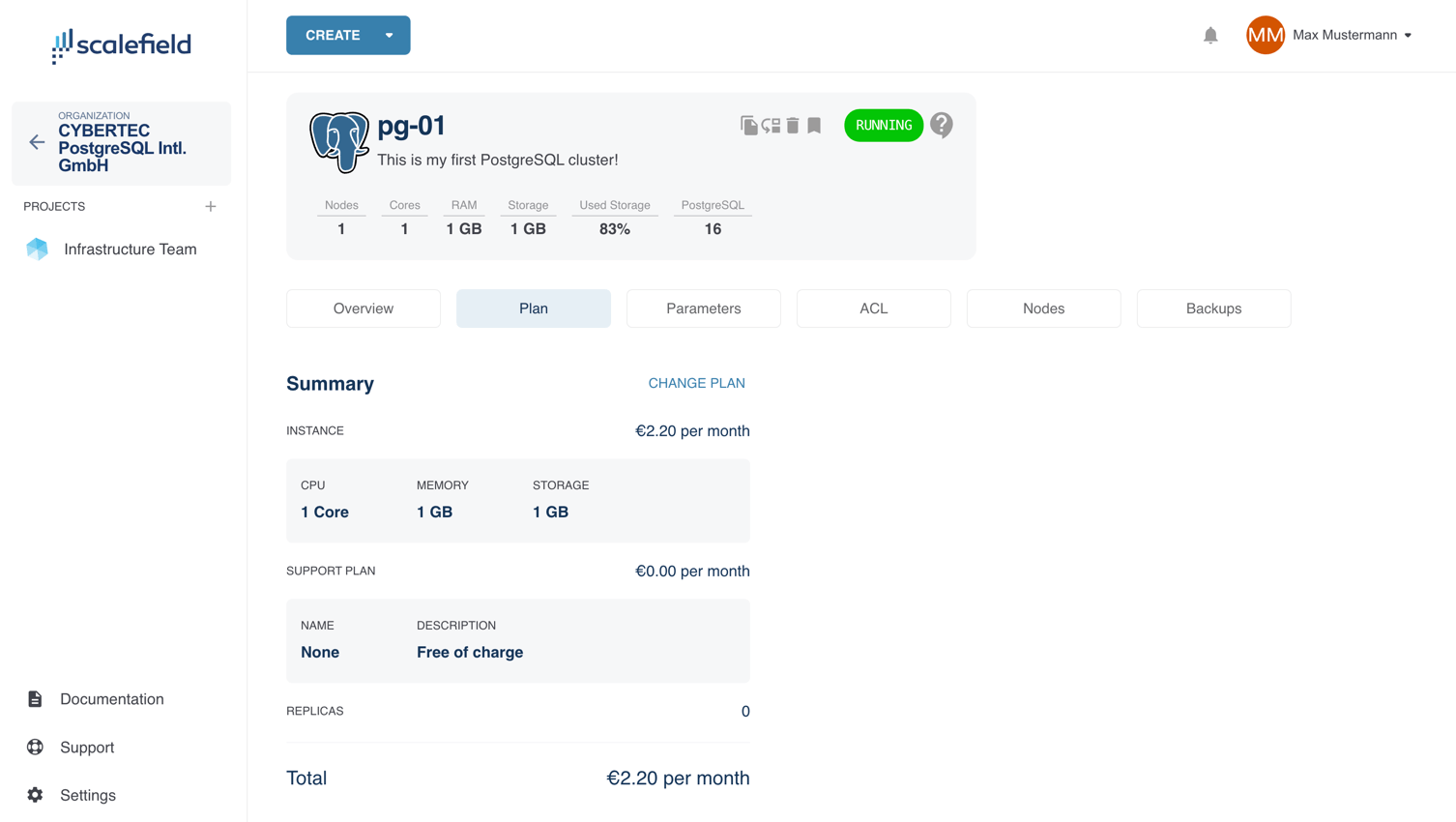
This tab displays the current configuration of the service, including replica count and selected support plan.
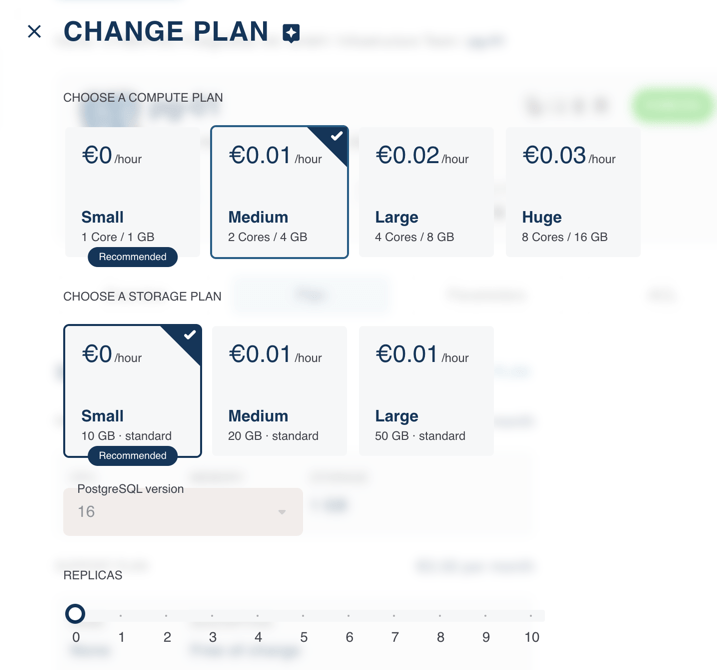
To make changes, click Change Plan. This opens a form similar to the one used during service creation, where you can modify CPU, memory, and other resource settings.
By default, resources are selected using predefined T-shirt sizes (e.g., Small, Medium, Large).
To specify exact values, click the star icon at the top of the page to switch to advanced mode.
ImportantIt is not possible to reduce storage capacity or change the storage type. To do so, use the Create from Backup feature instead.
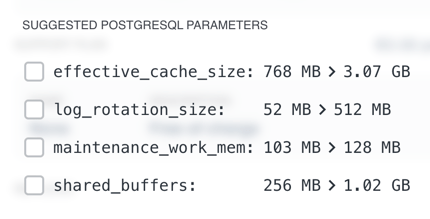
Depending on the changes being made, Scalefield may suggest adjustments to the PostgreSQL parameters to align with the new resource profile. You can review and selectively apply these suggestions — Scalefield will apply them automatically during the update process.
After making your changes, click Submit.
The service will enter the Updating state, and the PostgreSQL nodes will be restarted with the new specifications.
During this process, a switchover is performed: replicas are upgraded, promoted, and cycled automatically.
This operation is fully automated, but any active connections to the cluster will be interrupted.
If you only increase the number of replicas, no restart is required. New nodes are spun up seamlessly in the background.